Stabilisation
BRAW Toolbox v3.0.0 introduced a Media Extension, allowing you to import .braw files natively into Final Cut Pro.
This means that .braw files now behave exactly the same as .mov so you can relink in Final Cut Pro as normal.
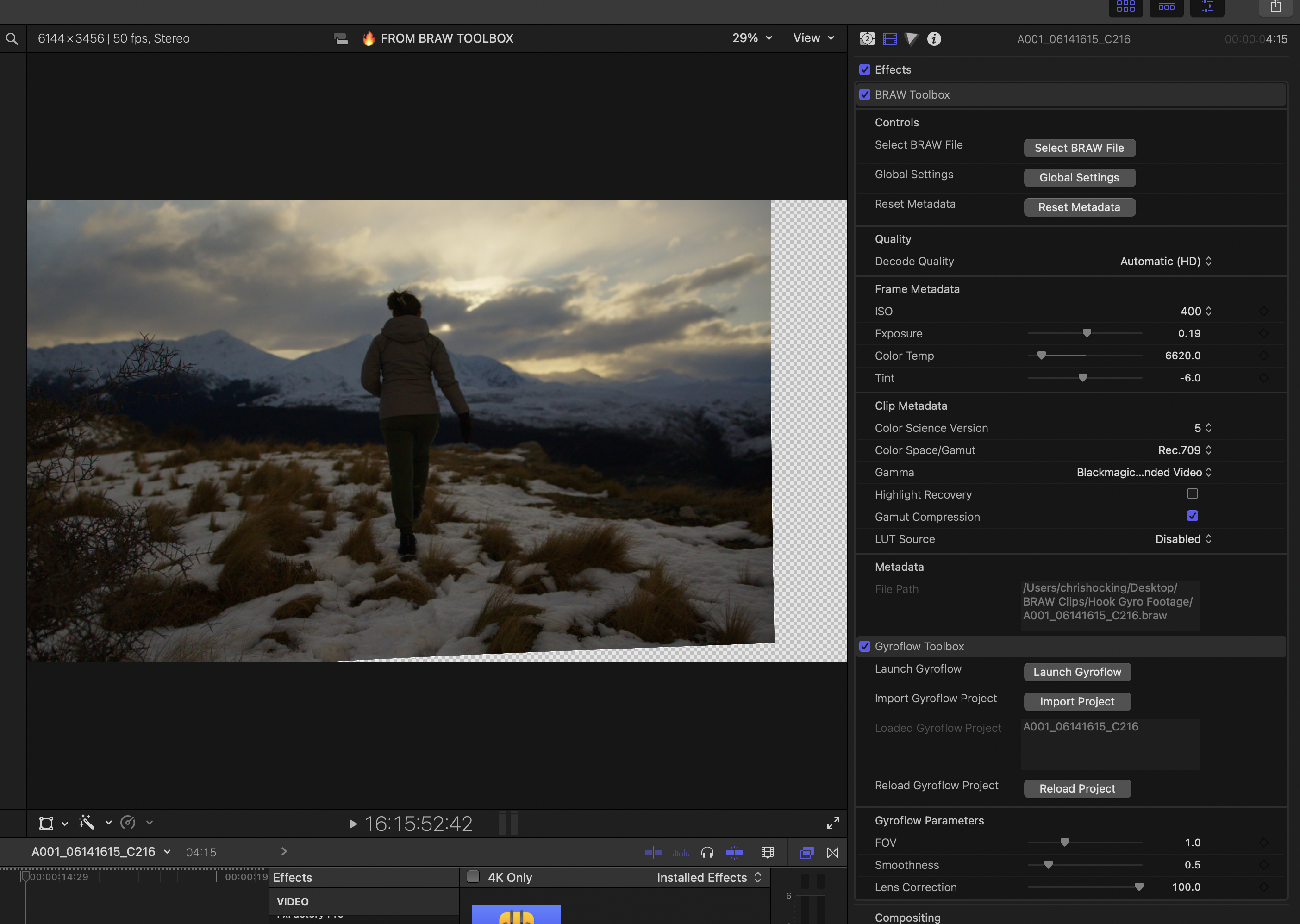
The Media Extension also has Gyroflow support built in!
You can read more on the Media Extension page.
The below information is for people using the legacy BRAW Toolbox workflow.
Legacy Workflow
Unfortunately Final Cut Pro doesn't allow stabilisation of Multicam Clips and Synchronised Clips.
To workaround this, you can export a ProRes file of the clip you want to stabilise, and bring it back into Final Cut Pro, or use a third party tool such as CoreMelt's Lock & Load X.
However, if you have a Blackmagic Camera that outputs Gyroscope Metadata such as the Blackmagic Pocket Cinema Camera 4K/6K, you can use one of our companion tools, Gyroflow Toolbox, to use that gyroscope data to stabilise the footage directly within Final Cut Pro.
Simply apply the Gyroflow Toolbox effect to the video layer inside your Synchronised or Multicam clip.
What is Gyroflow?
Gyroflow is a free and open source application that can stabilize your video by using motion data from a gyroscope and optionally an accelerometer. Modern cameras record that data internally (GoPro, Sony, Insta360 etc), and Gyroflow stabilizes the captured footage precisely by using them. It can also use gyro data from an external source (eg. from Betaflight blackbox).
Gyroflow Toolbox allows you to take the stabilised data from Gyroflow and use it within Final Cut Pro as an effect.
Credits
Gyroflow Toolbox has been thrown together by Chris Hocking at LateNite.
However, none of this would be possible without the incredible Gyroflow project and the incredibly help and support from their main developer, AdrianEddy.
The Gyroflow Toolbox icon was designed by the amazing Matthew Skiles.